A collection is a shelf of topics. Scores stay on each topic's category; the collection only gathers and arranges.
Make one
Choose New Collection, name it, and add topics from any of your categories. You can sort it by hand or by score.
Tier lists
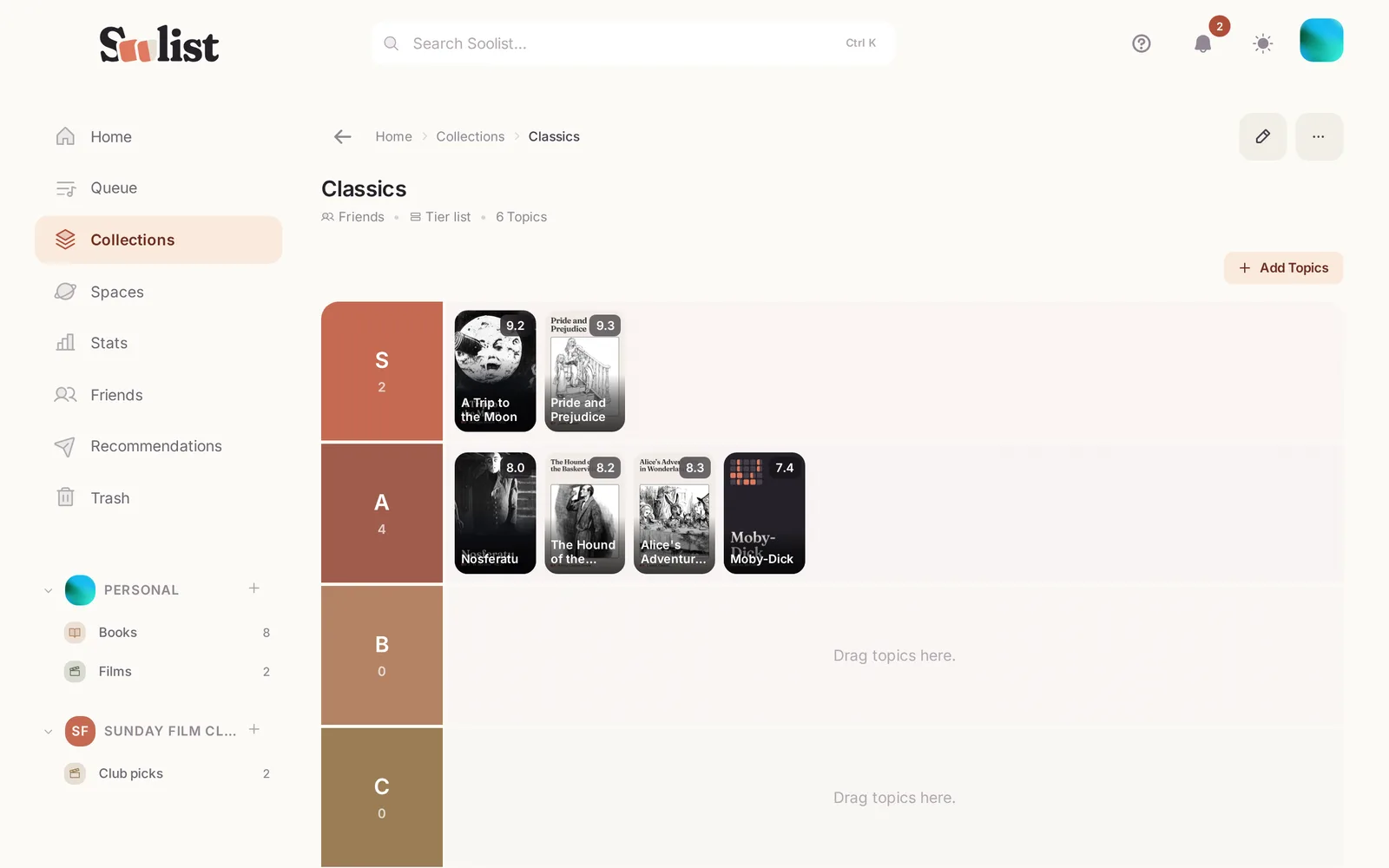
A collection can be shown as a tier list: S, A, B, C… or tiers you name yourself, such as Must see, Maybe, Skip.
- Drag a topic into a tier, or leave it unranked.
- Let Soolist place everything by your latest scores in one go, then adjust.
- Rename, recolour, add or remove tiers at any time.
Shelves that fill themselves
Give a collection rules instead of picking topics by hand — "books I rated 8 or more", "games I finished in 2026", "everything I plan to watch". It keeps itself up to date as you rate. You can still add a topic by hand or keep one out.
Share it
Choose Share as story to make an image of the collection for a story or a post. See Who can see what.