Add the topic
Open the category and choose Add Topic. Type its name. For films, series, books, games, music and more, Soolist suggests the real title, so the topic gets its cover and details.
Give your score
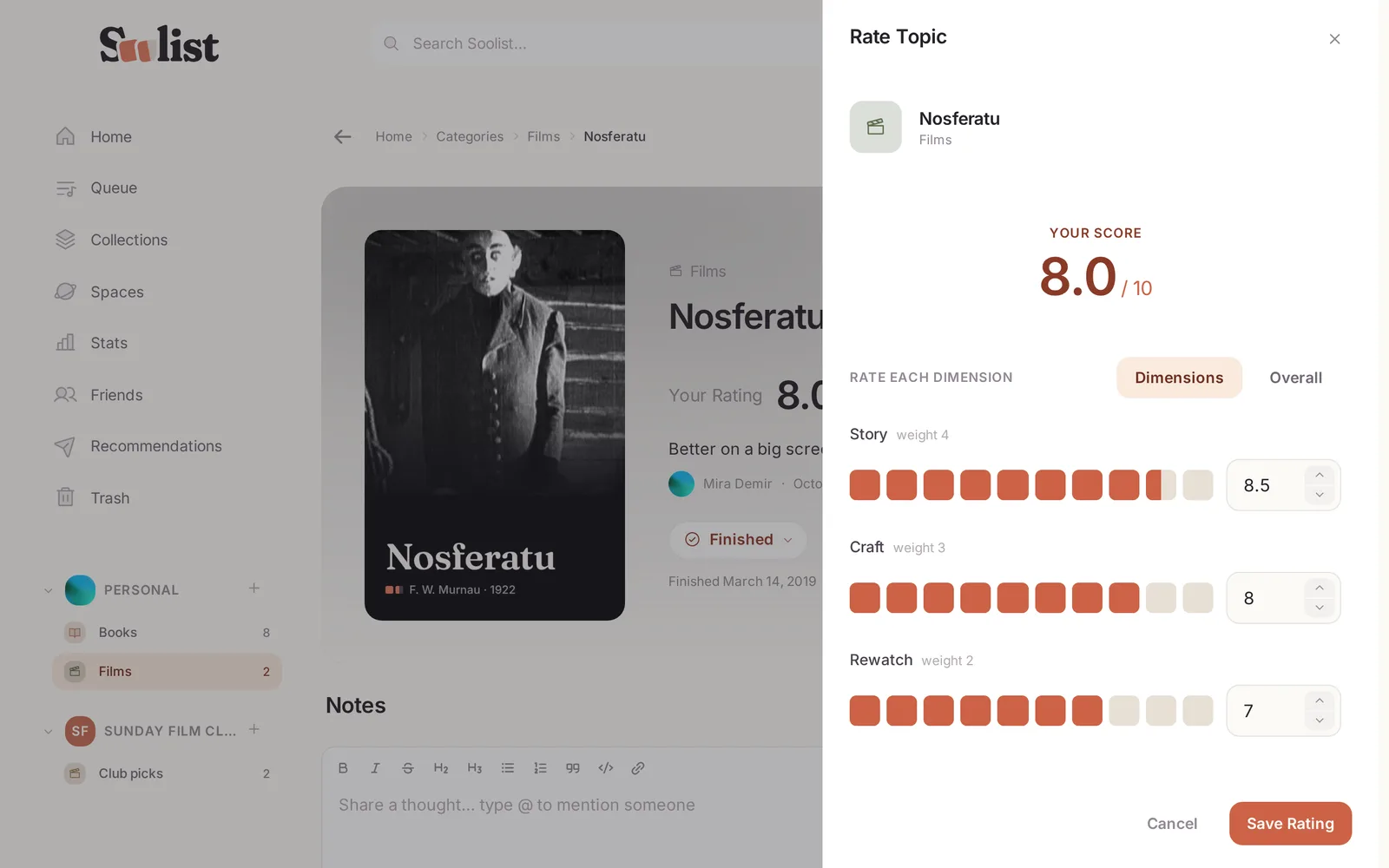
Choose Rate on the topic. A score is a row of boxes filled from the left:
- Drag along the row, or tap a box. Dragging moves in halves; resting on a box lets you aim for tenths.
- You can also type an exact score such as 7.9.
- If the category has dimensions, score each one. The overall score is worked out for you.
Add the date you watched, read or visited it — or leave it empty if you do not remember — and a short note if you like.
Rate it again
Changed your mind after a second viewing? Rate the same topic again. Each rating keeps its own date, so the topic shows how your opinion moved. To fix a score instead of adding a new one, edit that rating.
A faster way
With an AI assistant connected, just say "I watched A Trip to the Moon yesterday: story 9, craft 9.5" and it is rated.