A category holds things of one kind and decides how you score them.
Start from a ready-made one
Choose New Category and pick Movies, Shows, Games, Books, Restaurants or Hotels. Each comes with dimensions that suit it, which you can keep, drop or rename.
Build your own
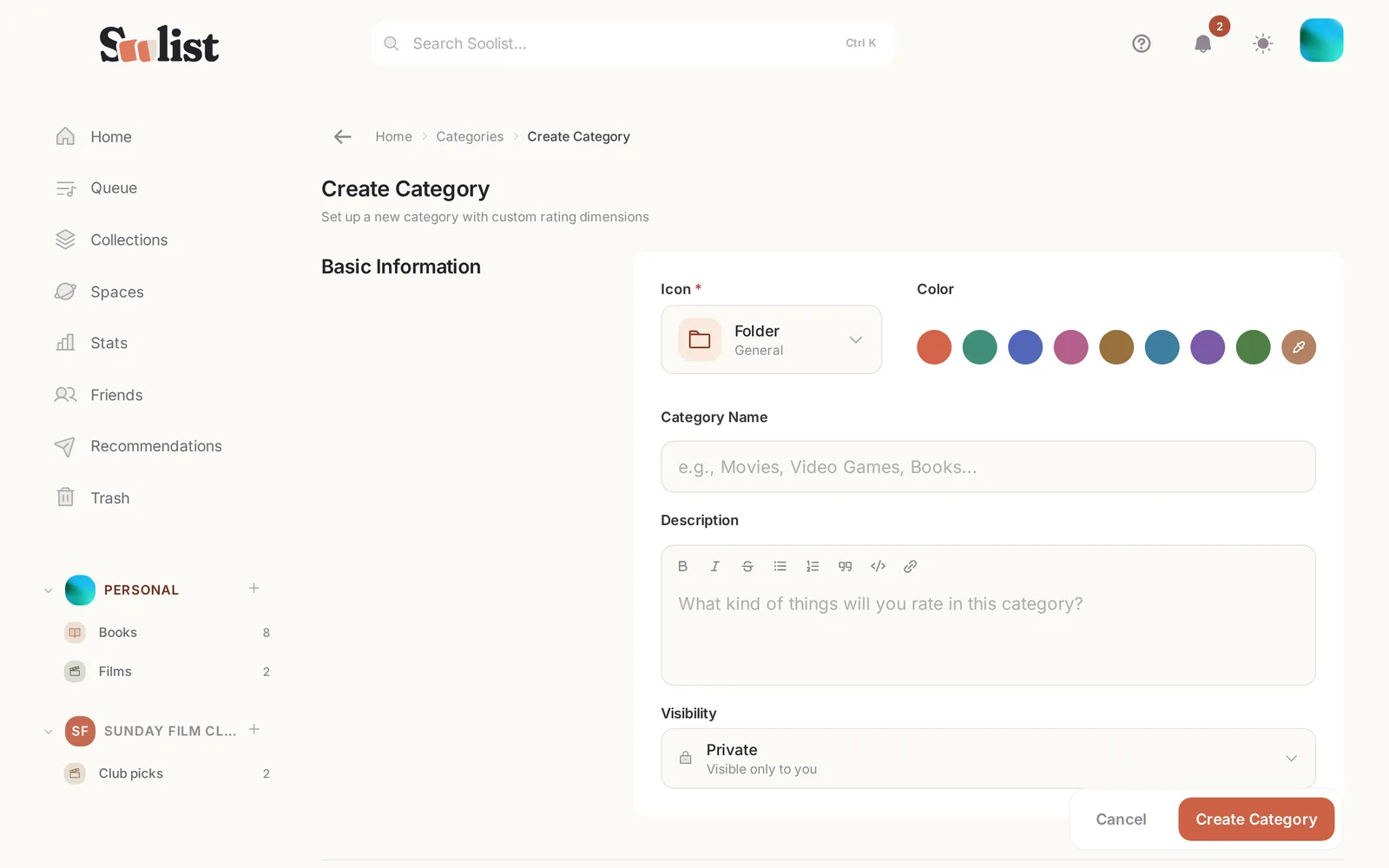
- Choose New Category and give it a name, an icon and a colour.
- Pick the scale: from 1 (or 0) up to anything between 2 and 100. Most people use 1 to 10.
- Add dimensions if you want to score parts separately, for example Story, Craft and Rewatch.
- Give each dimension a weight from 1 to 10. A dimension with weight 4 counts twice as much as one with weight 2.
Your overall score is the weighted average of the dimensions, so you never have to work it out yourself. A category without dimensions takes one score.
Change it later
You can rename a category, change its scale or its dimensions at any time. When you remove a dimension, you choose whether your old scores for it are kept or deleted.
Who sees it
Each category has a visibility: Everyone, Unlisted (only people with the link), Friends or Private. Topics inside can be more private than their category, never less. See Who can see what.